Table of Content
Simply Search
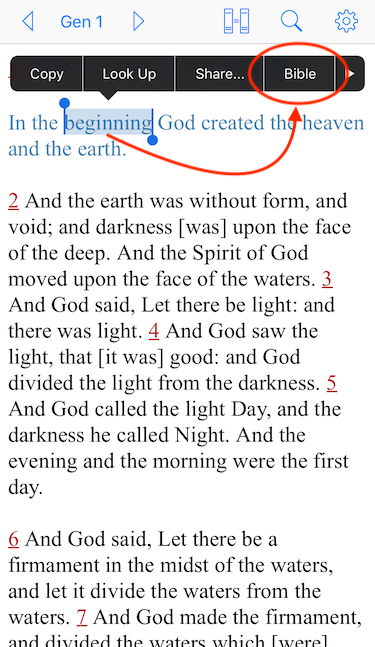
1. The simplest way to start is to select a word or several words within a verse.
2. Choose "Bible" from the context menu.
3. Results show all verses containing the selected word(s), with a total count of verses reported at the top.
4. You can also search the version of parallel Text.
5. Select word(s) from "Parallel View" and "Bible" from context menu.
6. Results show verses from parallel version, with each verse followed by primary version.
7. Touch the "filter" button to limit searching in certain books only.
8. Select to include book(s) for searching.
9. Only matched verses from selected books are listed.
10. You can also launch a search without text selection.
11. Touch "Search" button in the master view.
12. Enter word(s) manually and start a search.
Table of Content